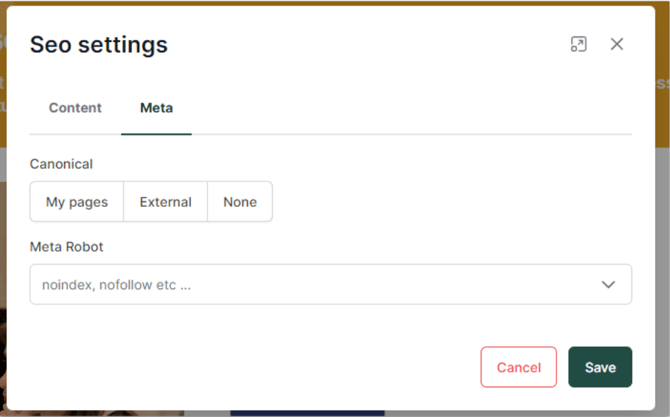
Improve your site's visibility and search engine ranking by configuring advanced SEO settings and managing how crawlers interact with your content.
1 - Understanding and Configuring Robots.txt
The robots.txt file is a text file located at the root of your site. It provides instructions to search engine crawlers (like Googlebot) on which parts of your site should be indexed and which should be ignored.
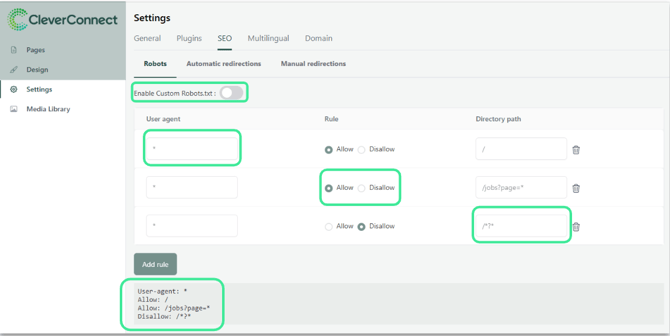
How to manage your Robots rules: In the "Robots" tab of your SEO settings, you can activate and customize your file:
-
User Agent: Specify which crawler the rule applies to. Using an asterisk (*) applies the rule to all search engines.
-
Directory Path: Enter the path to tell the robot which page(s) to include or exclude. Using "/*" applies the rule to your entire site.
-
Management: You can add, modify, or delete these rules at any time in the overview panel.
Good to know :
The use of an asterisk (*) in the "User agent" column indicates that all user agents are taken into account, without any particular distinction. This can be used in the robots.txt file to define rules that apply to all crawlers.
When you use "/*" in the "Directory browsing" column, you indicate that your rule applies to the entire site
2 - Managing Redirections (Automatic & Manual)
Redirections prevent "404 - Page Not Found" errors, which can negatively impact your SEO ranking.
Automatic Redirections
When your site is live, the CMS helps you maintain it:
-
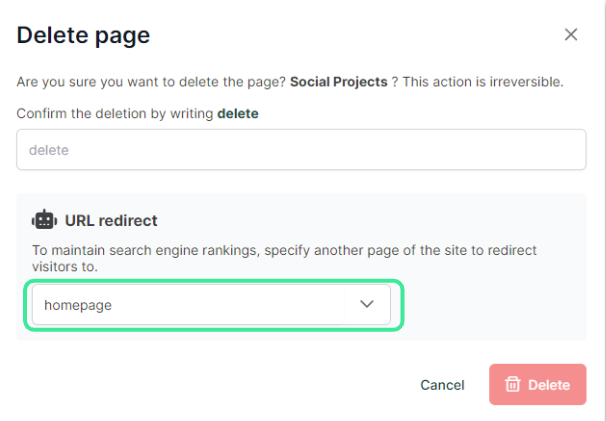
Deleting pages: If you delete a page, a window will automatically ask you for a destination URL to redirect existing traffic.
-
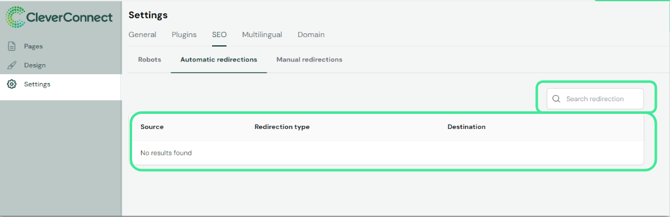
URL changes: If you rename a page URL, the redirection is created automatically (except for Home, 404, and Offers pages).
Manual Redirections
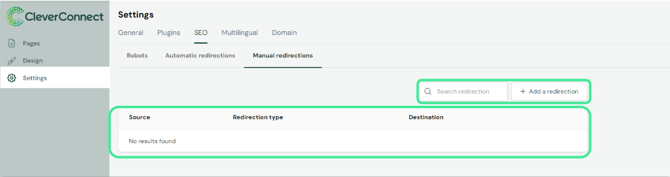
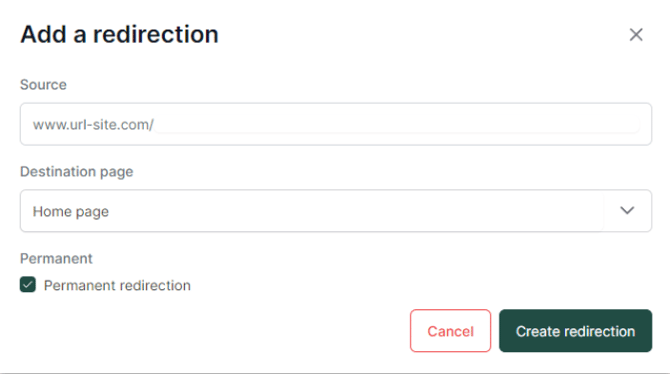
Use these to link pages from your old site to your new career site:
-
Source: The URL of the old page.
-
Destination: Select from the list of your current site pages.
-
Type: Indicate if the redirection is permanent (301).
Tip: Manual redirects are also useful when updating a page's content. Once the update is finished, simply remove the redirect.
3 - On-Page SEO: Content Settings
To configure specific page data, click on "SEO settings" at the top left of your screen.
In the Content tab, you can:
-
Set Page Title & Description: These appear in search engine results.
-
Preview: See exactly how your page will look in a browser search.
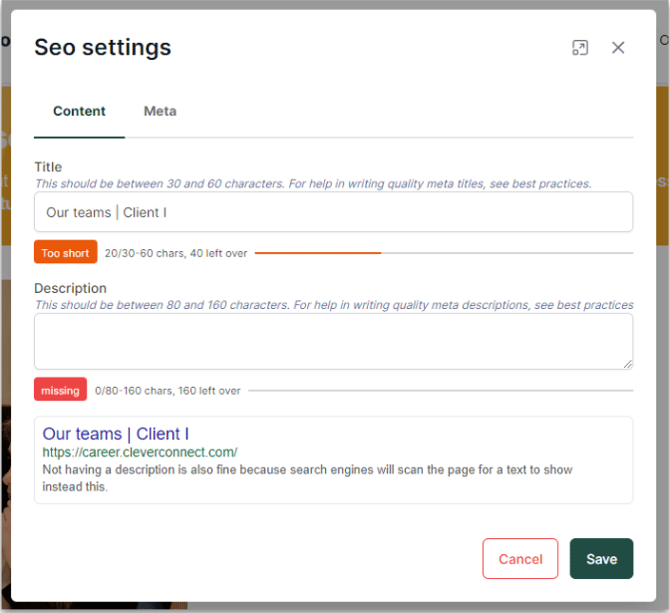
Good to know: The CMS provides real-time advice on the optimal length for your titles and descriptions to ensure they aren't cut off in search results.
4 - Advanced Meta Settings
Control how search engines treat each specific page using two key parameters:
Canonical Tags: This tells crawlers which version of a page is the "original." Use this if you have similar content on multiple pages to avoid "duplicate content" penalties.
-
Internal: Link to another page on your site.
-
External: Link to a URL outside of your site.
Robot Meta Tags: Define specific requirements for search engine behavior:
-
Example: If you create a temporary page for an event that you don't want indexed, select "no-index". The page will be invisible to search engines but accessible to anyone with the direct link.